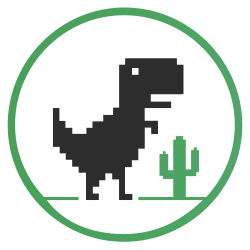
What Is the Chrome Dinosaur Game?
Reviewed and updated March 13, 2026
The original Dinosaur game appears on Chrome's no-internet page. A tiny T-Rex shows up, you press Space, and the run begins.
This site turns that offline easter egg into an always-available Dinosaur game you can play anytime — no disconnecting required. Whether you call it the Dino game, the runner, or the Chrome classic, the experience is identical.
The Dinosaur game is easy to start but hard to master: jump over cacti, duck under pterodactyls, and survive as speed keeps rising.
Widely cited trivia includes the internal codename "Project Bolan" and the T-Rex Game's symbolic run length of 17 million years, echoing the dinosaur era.
Quick Answer
What is Chrome Dino?
Chrome Dino is the offline browser runner that appears when Chrome loses connection. This Dinosaur game is also available as a free Dino game you can play directly online — no interruption required.
Quick Answer
Who made the original?
The original game shipped from the Google Chrome team in 2014 and is widely associated with the internal codename Project Bolan.
Quick Answer
How do you play online?
Play this Dinosaur online version with the same controls: Space or Arrow Up to jump, Arrow Down to duck, R or Enter to restart. Mobile players can tap to jump.
Quick Answer
What does 99,999 mean?
The visible score display rolls over after 99,999 in the original Dinosaur game, but the run itself does not stop there.
How to Get Higher Scores
Three practical techniques for higher scores in the Dinosaur game — and more stable Dino game sessions at speed.
01. Watch the Horizon
Read obstacles early from the right-side spawn area. Looking ahead in the Dinosaur game gives you a wider reaction window than staring at the dinosaur itself.
02. Control Jump Length
Avoid unnecessary airtime. Short jumps are safer for single low cacti, while longer jumps help when obstacle spacing is wider or grouped.
03. Use Duck and Speed-Drop
Down Arrow is not only for ducking. During jumps, speed-drop can recover your timing earlier and reduce chain collisions.
How to Play
- Desktop: Press Space or ↑ to jump. Press ↓ to duck or speed-drop.
- Mobile: Tap the screen to jump.
- Dinosaur online: Play directly in any browser — no download needed. Dino online play works the same on desktop and mobile.
- Original Chrome Access: Open chrome://dino in Chrome.
Why Players Keep Coming Back
- Classic Dino game pacing built on the original T-Rex Game format.
- Instant play with no download or setup — the Dinosaur game is always one click away.
- Simple controls with challenging late-game pacing.
- Retro black-and-white pixel style with strong readability.
- Short sessions and high replay value for score chasing.
Engine Notes
UI + Core Integration
Speed Curve
The Dinosaur game engine raises speed smoothly over time rather than hard step jumps, keeping the Dino game pacing readable at every level.
Obstacle Generation
Gap and size combinations are tuned for variety while keeping patterns readable and solvable.
Score Storage
High score is stored in browser LocalStorage by default and is not synced to cloud accounts.
History Timeline
Five milestones showing how the Dinosaur game evolved from a no-connection surprise into an always-available web game.
- 2014
Chrome Offline Dino Launches
The Google Chrome offline game launched on the no-internet error page in 2014, introducing a Dinosaur game that turned downtime into a playable mini-game.
- 2014
Project Bolan Codename Emerges
The T-Rex Game became associated with the codename "Project Bolan," widely reported as a tribute to Marc Bolan from the band T-Rex.
- 2015
Flying Obstacles Deepen Gameplay
Pterodactyl obstacles expanded the decision loop from simple jumping to jump-vs-duck timing at higher speed.
- 2018-2024
Theme Variants Expand Visibility
Anniversary and event variants helped the Dinosaur game and Dino game move from hidden easter egg status to a globally recognized browser runner across devices.
- Today
Online Play and Cross-Device Experience
Modern web versions let players run the Dinosaur game instantly without disconnecting. The original Dinosaur offline version built into Chrome remains available at chrome://dino.
PWA INSTALL
Install This Dinosaur Game, Launch in One Click
After installation, your Dinosaur game launches from desktop like a native app. It is also more resilient in weak-network or offline conditions.
Benefits after install
- Launch directly from a desktop icon.
- Run in a standalone window for better focus.
- Cached assets keep the Dino game available in weak-network and offline conditions.
- More app-like full-screen experience on mobile.
Publisher
dinosaurgame.online is an independent fan-made site focused on delivering a lightweight, always-available Dinosaur game experience in the browser.
Review cadence
Dino game copy, FAQ answers, and structured data were reviewed on March 13, 2026 to keep gameplay and historical notes aligned.
Editorial policy
Practical gameplay guidance comes from hands-on implementation and testing. Historical notes are backed by cited public sources where available.
Frequently Asked Questions
The 9 questions users ask most before jumping in.